 Teri Alexys Rookard
Practice Work: Movie Poster
Cropping and refinging edges, making a movie poster.
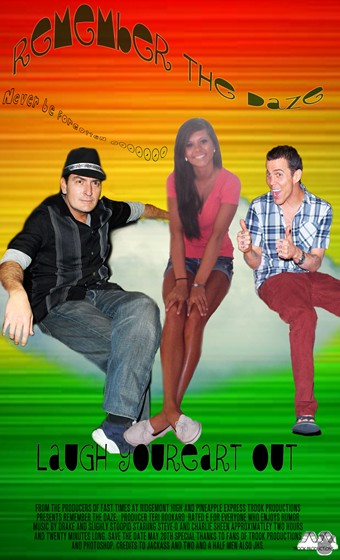
2. I cropped a cloud and refined the edges of it, the used the move tool to put it where I wanted it.
3. I found a picture of Steve-o and Charlie Sheen, and did the same thing that I did to the cloud, I quick selected, refined edges, and moved them where I wanted them. I had to add layer masks to both of them so that my selections looked a lot better, because I could get close up and erase and bring back whatever I needed too.
4. I added text boxes and used various techniques to make the text look like a "fish", I also could stretch out and smush the words or arch them any way I wanted to. I added effects to two main text areas of mine.
5. My film strip was simple, I just found a picture of a filmstrip online and added a peace sign for uniqueness and a text box for "Trook Productions". After I pulled the opacity down on the peace sign I clicked all three layers and moved them all together at the same time.
Comments: 0
There are no comments yet, be the first to write a comment!